

What to Look For in a VoIP Phone System for Small Business
Modern businesses need flexible, cost-effective communication solutions that grow with their operations.
- VoIP phone systems deliver enterprise-grade features at small business prices, enabling remote work, advanced call management, and significant cost savings over traditional phone systems.
- Small businesses typically save up to 50% on communication costs while gaining access to features like auto-attendant, call recording, and CRM integrations.
Choose a VoIP phone system for small business based on scalability, feature requirements, security standards, and total cost of ownership.
As digitization initiatives spread across industries, small businesses are seeking cost-effective ways to upgrade without high investments. VoIP phone systems for small business transmit voice over internet connections rather than copper phone lines. These systems deliver superior flexibility, advanced features, and substantial cost savings that traditional systems can’t match.
Telecommunications have evolved, with VoIP adoption among small businesses growing as organizations recognize the compelling advantages that these systems offer over legacy phones. This widespread adoption reflects the tangible benefits that VoIP technology provides for businesses with limited budgets but growing communication needs.
Why Choose a VoIP Phone System for Small Business Success
Small businesses face unique challenges that make choosing VoIP systems particularly beneficial. Limited budgets require cost-effective solutions, while growth demands scalable technology. Remote work capabilities have become essential, and advanced features previously available only to large enterprises are now accessible to smaller organizations. SIP trunking technology enables these capabilities by replacing traditional phone lines with internet-based connections.
VoIP systems seamlessly integrate with modern business tools, creating unified communication platforms that enhance productivity and streamline operations. This integration allows small businesses to compete more effectively with larger organizations by providing professional communication experiences that build customer confidence and support business growth.
How VoIP Technology Works for Small Business Applications
Understanding VoIP technology helps business owners make informed decisions about communication systems. Voice over Internet Protocol converts analog voice signals into digital data packets that travel over internet networks. This difference from traditional phone systems enables the advanced features and cost savings that make VoIP attractive to small businesses.
Session Initiation Protocol (SIP) serves as the framework that manages these communications. SIP establishes, maintains, and terminates multimedia sessions, enabling voice calls, video conferencing, instant messaging, and file sharing through the same system. This protocol ensures reliable connections while supporting the advanced features that distinguish VoIP from traditional telephony.
Cloud-based VoIP systems eliminate the need for on-premises hardware, reducing initial costs by up to 90% and lowering ongoing maintenance requirements. Instead of managing complex phone system equipment, businesses access their communication features through internet connections, with providers handling system updates, security, and technical maintenance remotely.
Modern VoIP systems require adequate internet bandwidth to deliver optimal performance. Each concurrent call typically consumes approximately 85kbps of bandwidth, making it important to ensure your internet connections can support expected call volume while maintaining quality for other business applications.
Essential Features Every Small Business Needs in VoIP Systems
When choosing VoIP systems, understanding which features provide the most value for small business operations directly impacts customer service quality, employee productivity, and overall communication effectiveness.
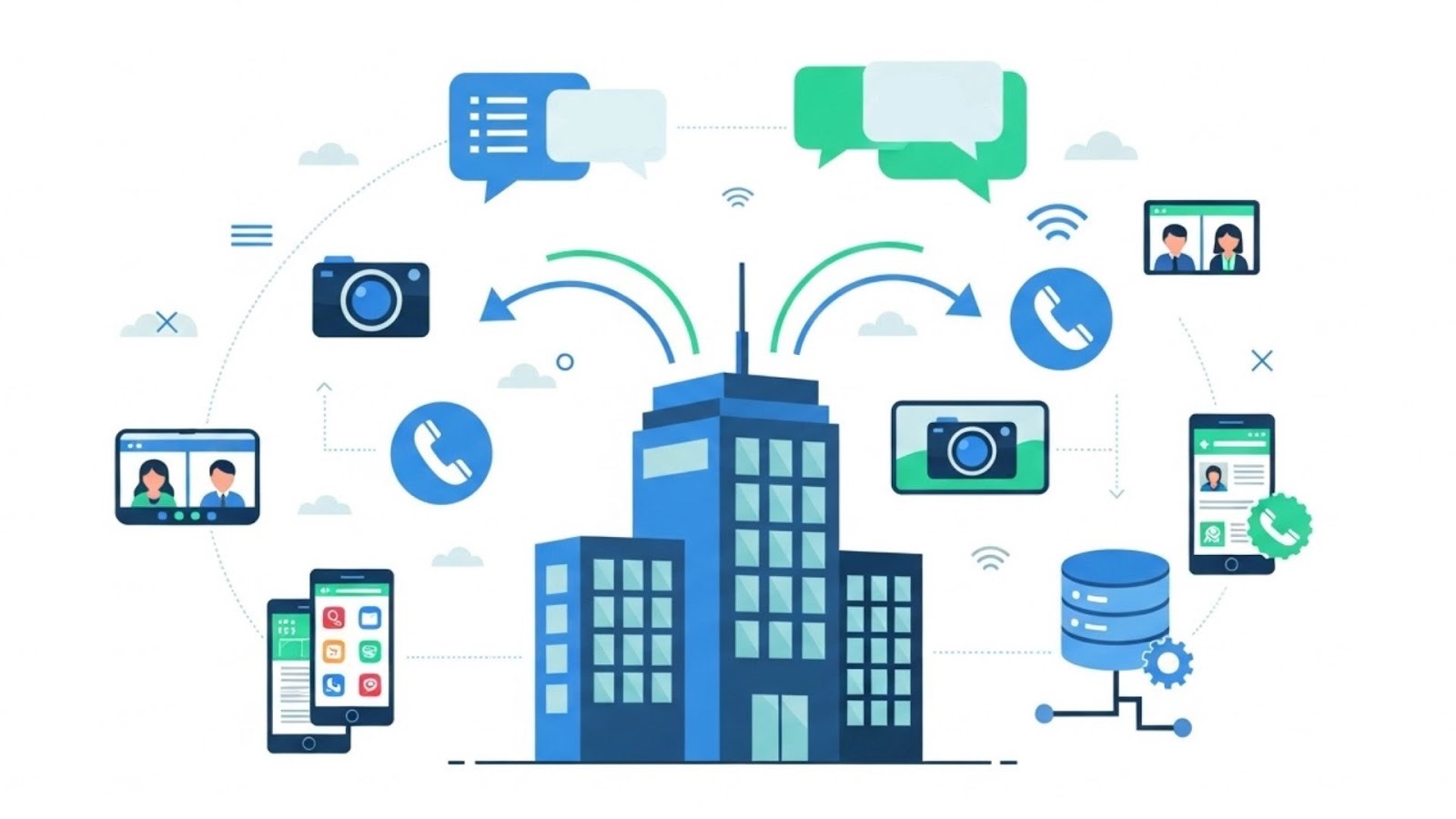
Core Communication Features
Auto-attendant functionality routes incoming calls to appropriate departments or individuals based on caller selections. This feature ensures professional call handling even when staff members are unavailable, reducing missed calls and improving customer experiences. Modern auto-attendants support multiple menu levels and can be customized with business hours settings.
Call forwarding and find-me-follow-me capabilities ensure important calls reach the right person regardless of location. These features automatically route calls to mobile phones, home offices, or alternative numbers when primary lines are busy or unanswered, preventing missed opportunities and maintaining consistent customer service.
Voicemail-to-email transforms traditional voicemail into accessible digital messages. The system transcribes voice messages and sends them to email addresses, allowing recipients to review messages quickly and respond appropriately. This feature proves valuable for remote workers and busy professionals who need to stay connected while away from their desks.
Advanced Business Capabilities
Call recording supports training, quality assurance, and compliance requirements. Businesses can record calls automatically or manually, storing them for future reference. This capability helps improve customer service quality, resolve disputes, and ensure regulatory compliance in industries with specific requirements.
Conference calling and video conferencing eliminate the need for separate collaboration tools. VoIP systems support multiple participants in voice and video calls, enabling remote meetings, client presentations, and team collaboration. These features have become essential for businesses supporting remote work or serving geographically distributed customers.
Analytics and reporting tools provide insights into communication patterns, call volume trends, and system performance. Business owners can identify peak calling times, measure response rates, and optimize staffing based on actual usage data.
Integration and Mobility Features
CRM integration synchronizes VoIP systems with customer relationship management software, providing instant access to customer information during calls. This integration enables personalized service, improves call efficiency, and ensures comprehensive customer interaction records.
Mobile applications extend VoIP functionality to smartphones and tablets, enabling employees to access business phone features from anywhere. These apps support making and receiving calls using business numbers, accessing voicemail, and utilizing advanced features while working remotely.
Business text messaging allows organizations to communicate with customers through SMS, providing convenient customer service options and supporting appointment reminders, notifications, and quick responses to customer inquiries.
Comprehensive VoIP System Comparison Guide
Small businesses can choose from several VoIP system types, each offering different feature sets and implementation approaches. Understanding these options helps business owners select systems that match their specific requirements and technical capabilities.
Cloud-Hosted VoIP Systems
Cloud-hosted solutions provide comprehensive features through internet-based platforms managed by service providers. These systems offer the widest range of capabilities with minimal on-premises requirements, making them ideal for small businesses without dedicated IT staff.
Core Features Include:
- Unlimited calling within specified regions
- Multi-level auto-attendant systems
- Advanced call forwarding and routing rules
- Voicemail-to-email transcription services
- Conference calling for multiple participants
- Mobile applications for remote access
- Call analytics and basic reporting
Advanced Capabilities:
- CRM software integrations
- Video conferencing and screen sharing
- Business SMS and messaging platforms
- Advanced call analytics with custom reports
- AI-powered features like sentiment analysis
- Integration with business productivity tools
- Automated call routing based on business rules
Investment Considerations: Cloud-hosted systems typically offer subscription-based pricing models with varying feature tiers. Setup costs are minimal, and providers handle system maintenance, updates, and technical support as part of their service offerings.
On-Premises VoIP Solutions
On-premises solutions require businesses to install and maintain their own VoIP hardware and software. While offering maximum control and customization, these systems require more technical expertise and higher initial investments.
Feature Characteristics:
- Complete control over system configuration and customization
- Custom call routing and advanced feature development
- Integration with existing network infrastructure
- Advanced security configuration options
- Unlimited extension capabilities
- Custom application development possibilities
Implementation Requirements:
- Dedicated IT staff or technical expertise
- Initial hardware and software investments
- Ongoing maintenance and update responsibilities
- Network infrastructure planning and management
Hybrid VoIP Solutions
Hybrid systems combine cloud-based services with on-premises equipment, offering flexibility for businesses with specific requirements or existing infrastructure investments. These solutions can provide cost savings while maintaining some local control over communication systems.
VoIP Cost Analysis for Small Business
Understanding VoIP pricing helps small businesses budget effectively and compare different service options. Costs vary based on feature requirements, user counts, and service levels, making it important to evaluate the total cost of ownership rather than just monthly fees.
Current Market Pricing Structure
Basic VoIP Services: Entry-level plans typically include unlimited domestic calling, standard voicemail features, basic auto-attendant functionality, mobile app access, and email support during business hours. These foundational packages serve businesses with straightforward communication needs.
Professional-Grade Plans: Mid-tier services expand capabilities with advanced call routing and queuing, call recording and analytics, video conferencing capabilities, CRM integrations, enhanced mobile features, and priority customer support. These plans suit growing businesses requiring more sophisticated communication tools.
Enterprise-Level Solutions: Advanced packages offer comprehensive analytics and reporting, AI-powered features, expanded international calling options, advanced security features, dedicated account management, and custom integration support. These solutions serve businesses with complex communication requirements.
Additional Cost Considerations
Implementation Expenses: Most modern VoIP providers offer complimentary setup and number porting services, but businesses should budget for potential consulting or training costs. Professional installation services vary depending on complexity and user training requirements.
Hardware Investment Options:
- IP phones range from basic models to advanced multi-line systems
- Professional-grade headsets enhance call quality and user comfort
- Network equipment upgrades may be necessary for optimal internet connectivity
- Conference room equipment supports video conferencing capabilities
Ongoing Service Costs:
- International calling rates vary by destination
- Premium support services offer enhanced response times
- Additional storage for call recordings
- Advanced security features and compliance tools
Return on Investment Analysis
Small businesses typically achieve worthwhile cost reductions compared to traditional phone systems. Companies often see cost savings of up to 50% when transitioning from legacy communication systems to VoIP solutions.

Primary Cost Reduction Sources:
- Elimination of separate phone line charges
- Reduced long-distance and international rates
- Lower hardware maintenance costs
- Decreased IT support requirements
- Consolidation of communication services
Productivity Enhancement Benefits:
- Reduced time managing multiple communication systems
- Enhanced customer service through advanced features
- Improved collaboration through integrated tools
- Better mobility and remote work support
- Data-driven insights for operational optimization
Step-by-Step VoIP Selection Process
Choosing the best VoIP for small business requires a systematic evaluation of requirements, features, and providers. This structured approach ensures decisions align with business needs and budget constraints while avoiding common implementation pitfalls.
Phase 1: Requirements Assessment
Begin by documenting current communication needs and identifying areas for improvement. Analyze existing phone usage patterns, peak calling times, and special requirements. Survey employees about communication challenges and desired features to ensure selected systems support actual business needs.
Critical Evaluation Questions:
- How many concurrent calls does your business typically handle?
- What percentage of calls are local versus long-distance?
- Which employees need access to advanced features versus basic calling?
- What business applications require phone system integration?
- How important are mobile capabilities and remote work support?
Phase 2: Feature Prioritization for VoIP Buying Guide
Create a VoIP buying guide with a comprehensive list of desired features ranked by importance to your business operations. Distinguish between essential capabilities and nice-to-have features to guide provider comparisons and budget decisions.

Essential Features Checklist:
- Call volume capacity matching your business needs
- Auto-attendant with appropriate menu complexity
- Call forwarding and routing capabilities
- Voicemail management and notification preferences
- Mobile app functionality for remote work
- Integration with existing business software
- Adequate customer support availability
Advanced Features Evaluation:
- Call recording and compliance capabilities
- Analytics and reporting requirements
- Video conferencing and collaboration tools
- CRM integration for customer service enhancement
- Business text messaging and omnichannel support
- AI-powered features for efficiency improvements
Phase 3: Provider Evaluation
Research multiple providers to compare features, service quality, and pricing transparency. Focus on providers with strong small business experience and positive customer reviews. Request demonstrations and trial periods to evaluate systems before making final decisions.
Evaluation Criteria:
- Feature availability and customization options
- Transparent pricing and contract flexibility
- Customer support quality and availability
- Service reliability and uptime guarantees
- Security features and compliance capabilities
- Implementation support and training resources
Phase 4: Implementation Planning
Develop detailed implementation plans that minimize business disruption while ensuring successful deployment. Coordinate with chosen providers to establish timelines, training schedules, and testing procedures.
Implementation Best Practices:
- Schedule deployment during low-activity periods
- Plan comprehensive employee training sessions
- Establish testing procedures for all key features
- Prepare backup communication methods during transition
- Document new procedures and system configurations
- Plan a gradual rollout for complex implementations
Security and Reliability Considerations
VoIP security and reliability directly impact business operations. Modern VoIP solutions offer robust security features that often exceed traditional phone system protections.

Security Features and Protocols
Encryption Standards: Modern VoIP systems implement advanced encryption protocols that protect voice communications from interception. Transport Layer Security (TLS) encrypts signaling traffic, while Secure Real-time Transport Protocol (SRTP) protects actual voice data, ensuring conversations remain private and secure during transmission.
Access Control and Authentication: Multi-factor authentication prevents unauthorized access to VoIP systems, requiring users to verify their identity through multiple methods before accessing system features. Role-based access controls ensure employees can only access features appropriate to their responsibilities, reducing security risks.
Fraud Prevention: Advanced fraud detection systems monitor calling patterns to identify suspicious activity and prevent toll fraud. These systems can automatically block suspicious calls, limit international calling, and alert administrators to potential security breaches.
Reliability and Uptime Considerations
Network Redundancy: Leading VoIP providers maintain multiple data centers with automatic failover capabilities. If one server experiences problems, calls automatically route to backup systems without service interruption, ensuring consistent service availability even during equipment failures.
Quality of Service Management: VoIP systems prioritize voice traffic over other internet usage to maintain call quality during periods of high network activity. Proper QoS configuration ensures clear voice communications even when other applications consume significant bandwidth.
Backup and Disaster Recovery: Cloud-based VoIP systems offer inherent disaster recovery capabilities, allowing businesses to maintain communications even if local internet connections fail. Calls can route to mobile phones or alternative locations, ensuring business continuity during emergencies.
Frequently Asked Questions
What internet speed do I need for a VoIP phone system for small business?
Each concurrent VoIP call requires approximately 85–100 kbps of bandwidth in both upload and download directions. For a small business with five employees making calls simultaneously, you would need at least 500 kbps upload speed dedicated to voice traffic. Most broadband connections provide adequate speeds, but it’s important to ensure consistent performance during peak usage times.
Can I keep my existing phone numbers when switching to VoIP?
Yes, number porting allows you to transfer existing phone numbers to VoIP systems. The process typically takes 3–7 business days and requires coordination between your current provider and new VoIP service. Most VoIP providers handle porting paperwork and ensure smooth transitions with minimal service interruption.
What happens if my internet connection goes down?
Modern VoIP systems offer several backup options for internet outages. Calls can automatically forward to mobile phones, alternative locations, or PSTN backup numbers. Many providers also offer redundant internet connections and 4G/5G backup solutions to maintain service during primary connection failures.
Do I need special phones for VoIP systems?
VoIP systems support various device types, including IP phones, softphones (computer applications), and mobile apps. While dedicated IP phones often provide the best call quality and feature access, you can start with existing computers or smartphones and upgrade hardware as needed. Many businesses begin with software-based solutions and add dedicated phones over time.
How secure are VoIP phone systems for business use?
Modern VoIP systems offer robust security features, including call encryption, access controls, and fraud monitoring. These security measures often exceed traditional phone system protections. Businesses should ensure their VoIP provider implements current security protocols and offers features like secure user authentication and network monitoring.
Making the Right Choice for Your Business Communications
Selecting the right VoIP phone system for small business is a strategic decision that impacts customer service, employee productivity, and operational costs for years to come. The evaluation process requires balancing current needs with future growth plans while ensuring chosen systems provide reliable, secure communication platforms.
Consider partnering with experienced VoIP providers who understand small business requirements and offer comprehensive support throughout implementation and beyond. The right provider relationship ensures optimal system performance and provides resources for addressing future communication needs as your business grows.
SIP.US provides enterprise-grade SIP trunking services designed specifically for growing businesses, offering advanced features, transparent pricing, and exceptional support. Get started today and discover how the right VoIP phone system for small business can transform your operations.

Mitch leads the Sales team at BCM One, overseeing revenue growth through cloud voice services across brands like SIPTRUNK, SIP.US, and Flowroute. With a focus on partner enablement and customer success, he helps businesses identify the right communication solutions within BCM One’s extensive portfolio. Mitch brings years of experience in channel sales and cloud-based telecom to every conversation.
Free SIP Trunk in 60 Seconds
Related Posts

What Is a DID Number? Direct Inward Dialing Explained
Unlock the potential of your communication system with our Beginner’s Guide to DID Numbers and SIP Trunks, offering cost-effective, scalable solutions for modern businesses and individuals.

What Is SIP? A Complete Guide to Session Initiation Protocol
Discover everything about SIP and how it revolutionizes communication. Learn what is SIP, its benefits, and how to implement it in your business for better connectivity.

What Is Internet Protocol? IP Definition and How It Works
Internet protocol is the addressing and routing system that gets every business call, email, and…