
SIP Trunking for Remote Teams: A 2026 Guide
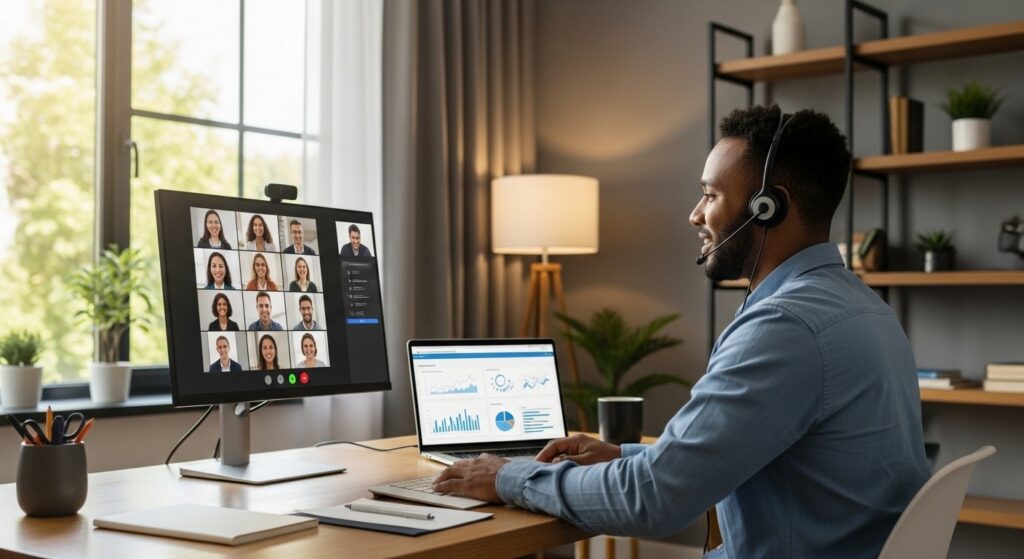
Distributed workforces require communication infrastructure that travels with employees, not systems that anchor them to physical locations.
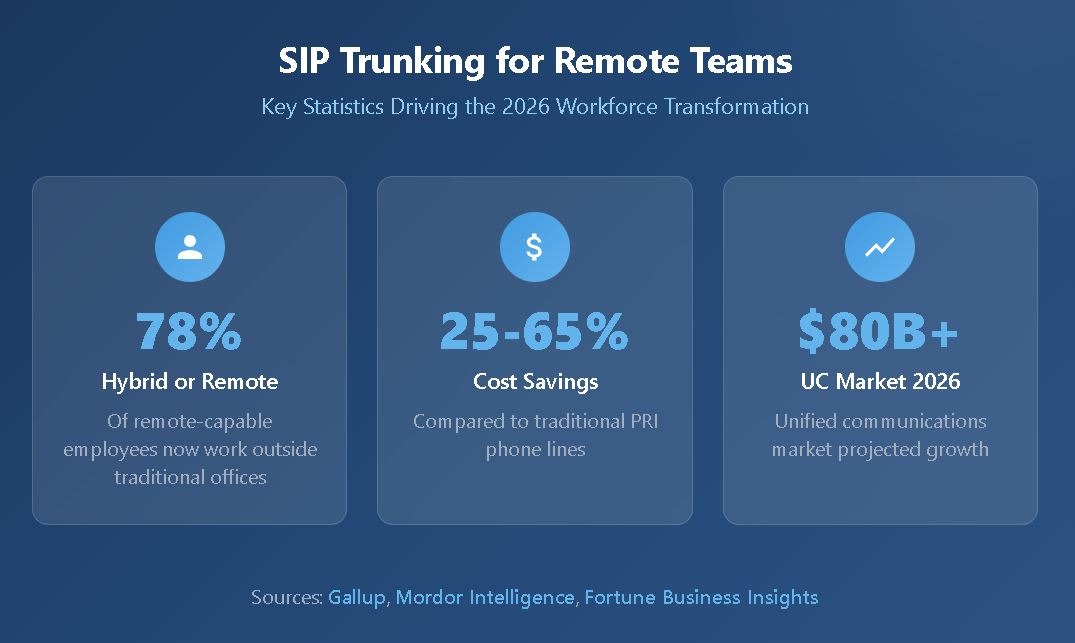
- Among employees with remote-capable jobs, 78% now work either hybrid (52%) or fully remote (26%), making flexible phone systems essential rather than optional.
- SIP trunking delivers cost savings between 25% and 65% compared to traditional phone lines while supporting any internet-connected device.
- Cloud PBX solutions integrate with collaboration platforms like Microsoft Teams, creating unified workflows for scattered teams.
- Businesses that invest in modern communication infrastructure report measurably higher productivity and employee satisfaction.
For organizations managing remote or hybrid teams, evaluating SIP trunking solutions is one of the most impactful technology decisions of 2026.
The modern workplace looks nothing like it did five years ago. According to workforce data, 88% of employers now provide some form of hybrid work arrangement, while only 16% of job seekers consider fully in-office positions their top choice. This shift has exposed a weakness in many organizations: their communication systems were designed for employees sitting at desks in the same building.
Traditional phone infrastructure creates friction for distributed teams. Forwarding calls to mobile devices often results in unprofessional experiences. Conference calling requires workarounds. Collaboration tools remain disconnected from voice communications. These limitations force businesses to choose between operational efficiency and workforce flexibility.
SIP trunking for remote teams eliminates this compromise. By transmitting voice calls over internet connections rather than physical phone lines, businesses gain communication capabilities that follow employees wherever they work. The technology has matured, with the unified communications market projected to reach over $80 billion in 2026 as organizations prioritize flexible infrastructure.
Why Do Businesses Prioritize SIP Trunking for Remote Teams?
The communication challenges facing distributed workforces extend beyond simple connectivity. Remote employees using legacy phone systems encounter a consistent pattern of limitations that reduce productivity and create customer service gaps.
Traditional systems tie phone numbers to physical locations. When an employee works from home, their office extension becomes inaccessible, forcing customers to navigate voicemail systems or wait for callbacks. Forwarded calls often display personal mobile numbers rather than business lines, undermining professional credibility during client interactions.
Conference calling on legacy infrastructure typically requires dedicated bridge lines with limited capacity. Scheduling conflicts arise when multiple teams need simultaneous access. Audio quality degrades as participant counts increase. These technical constraints directly impact collaboration quality for teams that depend on voice communication to coordinate work.
The complexity multiplies for organizations operating across multiple locations or supporting hybrid arrangements. Each office requires separate phone infrastructure. Transferring calls between locations involves complicated routing. IT teams spend significant time managing disconnected systems rather than supporting business operations.
Modern businesses require communication platforms that adapt to changing workforce models. Remote VoIP solutions address these challenges by leveraging internet connectivity to deliver consistent experiences regardless of employee location. Teams access the same features whether working from headquarters, home offices, or client sites.
What Makes SIP Trunking Ideal for Remote Teams?
SIP trunking transforms how distributed workforces communicate by eliminating the geographic constraints that limit traditional phone systems. The technology converts voice signals into digital data transmitted over internet connections, enabling businesses to route calls through unified infrastructure rather than maintaining separate systems for each location.
Geographic Independence and Location Flexibility
Employees using SIP-enabled systems access full phone functionality from any location with reliable internet connectivity. A sales representative working from a home office answers calls on the same business number they use at headquarters. A customer service team distributed across multiple time zones routes incoming calls through intelligent systems that consider availability and expertise.
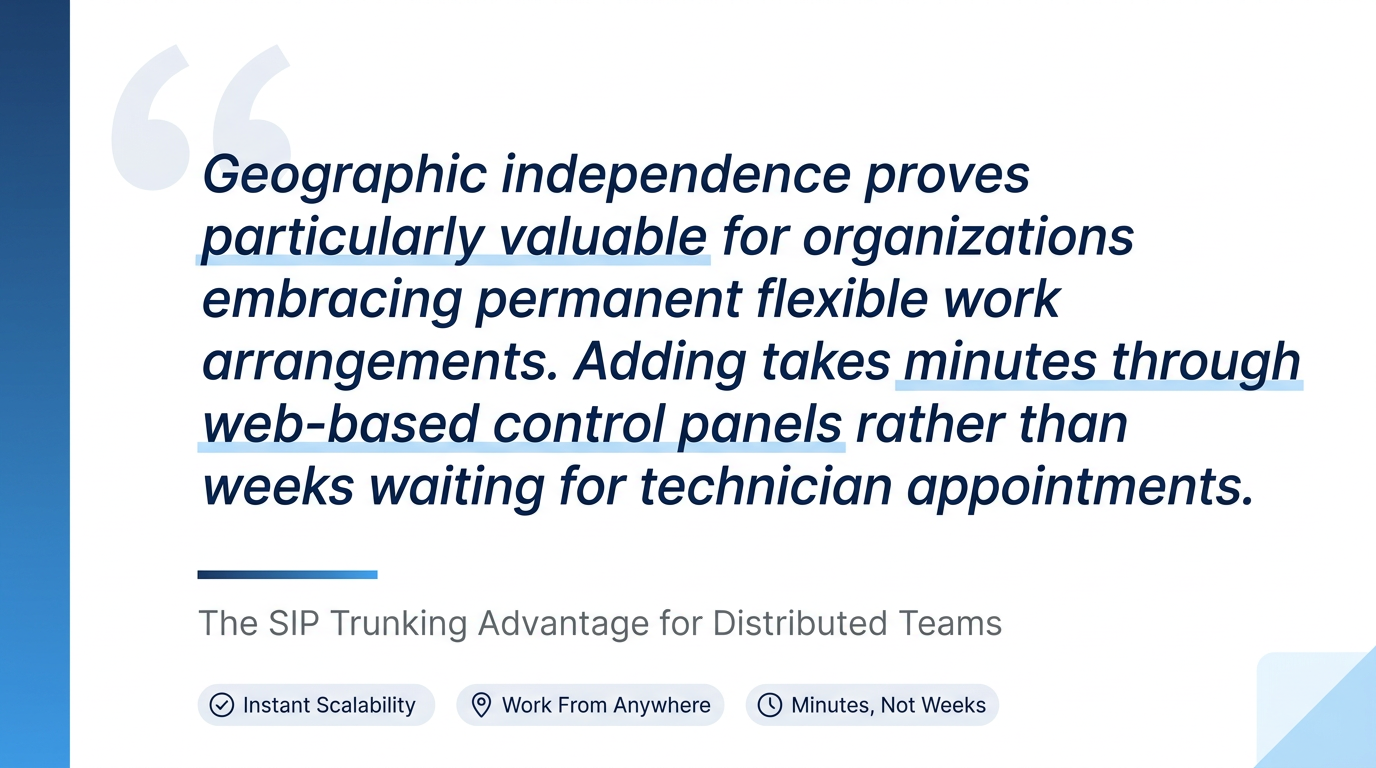
This geographic independence proves valuable for organizations embracing permanent flexible work arrangements. Seasonal hiring, project-based teams, and distributed operations all benefit from infrastructure that scales without physical installation requirements. Adding capacity takes minutes through web-based control panels rather than weeks waiting for technician appointments.
Device Flexibility Across Multiple Platforms
VoIP for remote workers supports communication across smartphones, laptops, desk phones, and softphone applications. Employees choose devices based on their working context while maintaining a consistent professional presence. A manager takes an important client call on a mobile device during a commute then continues the conversation on a desktop application upon reaching the office.
Call routing intelligence distributes incoming communications between devices based on user preferences and availability status. Missed calls on desk phones automatically forward to mobile devices. Voicemails arrive as email attachments for convenient review. This flexibility ensures important communications reach the right people regardless of their current location or device preference.
Unified Communications Integration
Modern SIP trunking for remote teams seamlessly integrates with collaboration platforms that distributed workers already use. Microsoft Teams integration enables organizations to make and receive external calls directly from familiar interfaces. CRM platforms automatically synchronize contact information and call history. Project management tools display communication status alongside task assignments.
These integrations eliminate the context-switching that reduces productivity when employees manage separate systems for different communication channels. Voice, video, messaging, and collaboration flow through unified platforms. Information follows conversations rather than requiring manual transfer between applications.
How Does VoIP for Remote Workers Compare to Traditional Systems?
Understanding the structural differences between legacy and internet-based communication helps organizations evaluate their options. The comparison extends beyond simple cost analysis to encompass operational flexibility, feature accessibility, and long-term scalability.
Cost Structure: Traditional systems require purchasing capacity in fixed bundles with per-minute charges for usage beyond included allowances. SIP trunking providers typically offer unlimited domestic calling plans with predictable monthly pricing. Businesses commonly report savings between 25% and 65% after switching from legacy infrastructure.
Scalability: Adding phone lines to traditional systems requires physical installation, often with multi-week lead times and high upfront costs. Cloud PBX solutions enable capacity adjustments through self-service portals, with changes taking effect immediately.
Feature Accessibility: Legacy systems often restrict advanced features to expensive premium tiers. Modern SIP platforms include call analytics, mobile applications, video conferencing, and collaboration integrations as standard capabilities. Small businesses have access to the same tools previously available only to enterprise organizations.
Maintenance Requirements: Traditional PBX systems require on-site hardware maintenance and periodic software updates managed by internal IT staff or contracted technicians. Cloud-based solutions shift infrastructure management to providers while giving businesses control over their specific configurations.
Business Continuity: Legacy infrastructure typically offers limited failover capabilities without expensive backup circuits. Quality SIP trunk providers include built-in redundancy with automatic routing to backup destinations during outages, ensuring communication continuity even when primary systems experience problems.

What Security Features Protect Remote Communications?
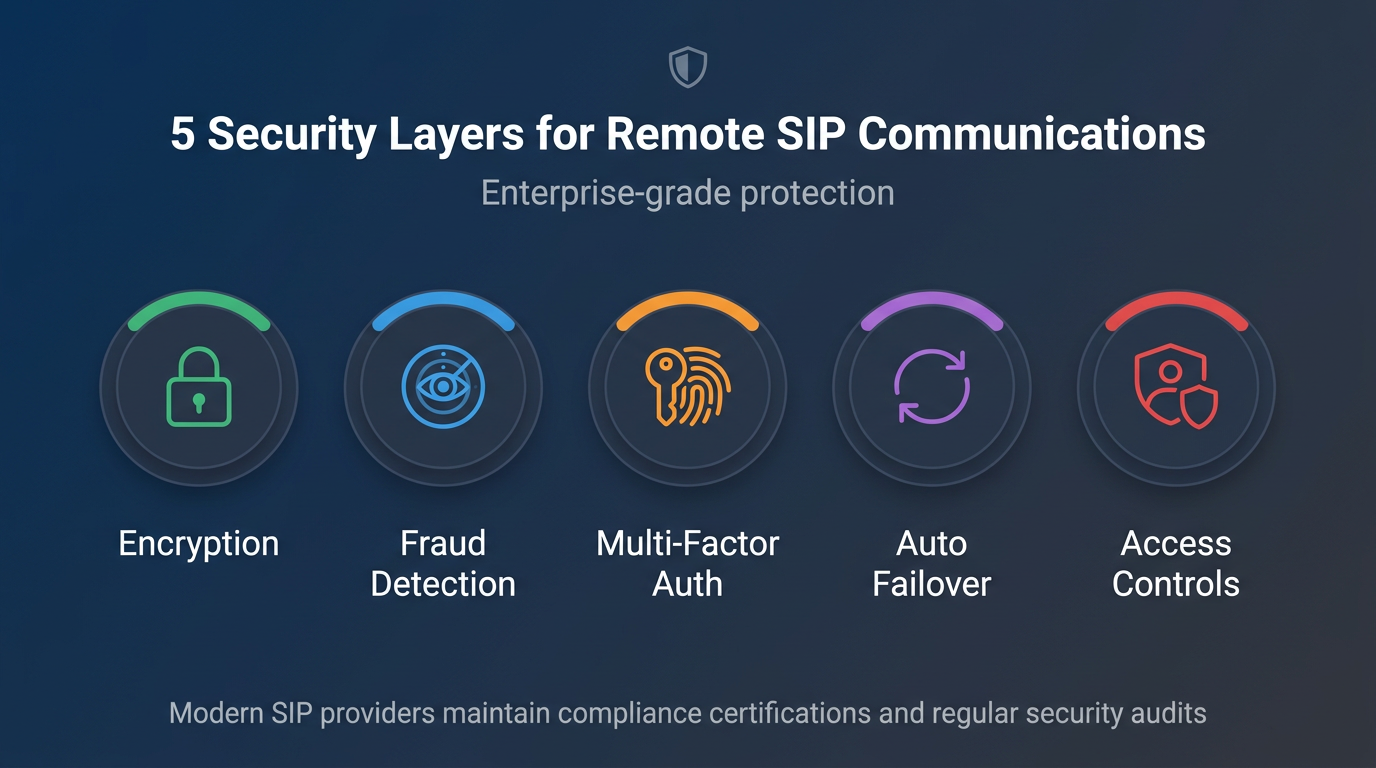
Security concerns influence communication infrastructure decisions, particularly for organizations with employees connecting from various networks and locations. Modern SIP trunking for remote teams addresses these concerns through multiple protective layers:
- End-to-end encryption protects voice conversations from interception during transmission across public internet connections.
- Fraud detection systems monitor calling patterns continuously to identify suspicious activity before it impacts operations.
- Multi-factor authentication prevents unauthorized access to communication platforms even if credentials become compromised.
- Automatic failover routing maintains service continuity during outages, preventing communication gaps that could expose sensitive information.
- Access controls restrict administrative functions to authorized personnel while allowing employees appropriate self-service capabilities.
The security infrastructure supporting remote team communication has matured. Leading providers maintain compliance certifications relevant to regulated industries, implement regular security audits, and provide detailed logging for organizations with compliance requirements.
Remote workers connecting from home networks, coffee shops, or co-working spaces automatically benefit from these protections. The security posture remains consistent regardless of connection point, eliminating the vulnerability gaps that occur when employees use personal phones or unsecured communication methods.
Remote Team Communication Checklist
Organizations evaluating SIP trunking for hybrid work should systematically assess their requirements. This checklist helps identify critical capabilities and potential implementation considerations:
Infrastructure Assessment
- Document the current internet bandwidth at all locations where employees will access the system
- Identify existing phone hardware that may integrate with new platforms
- Review current communication pain points specific to remote and hybrid employees
- Calculate concurrent call requirements during peak usage periods
Feature Requirements
- Confirm mobile application availability for iOS and Android devices
- Verify integration capabilities with existing collaboration tools (Teams, Slack, CRM platforms)
- Assess call routing flexibility for distributed team structures
- Review voicemail-to-email and transcription capabilities
Security and Compliance
- Confirm encryption standards meet organizational requirements
- Verify compliance certifications relevant to your industry
- Review fraud protection and monitoring capabilities
- Assess disaster recovery and business continuity features
Provider Evaluation
- Request uptime guarantees backed by service level agreements
- Confirm support availability during your operational hours
- Review contract flexibility for scaling capacity up or down
- Evaluate self-service portal capabilities for ongoing management
Implementation Planning
- Establish timeline expectations for number porting and system activation
- Identify internal resources required for configuration and training
- Plan communication rollout strategy for distributed teams
- Define success metrics for evaluating implementation effectiveness
How to Evaluate Cloud PBX Solutions for Hybrid Work
Selecting the right SIP for hybrid work requires balancing technical capabilities with operational realities. The evaluation process should prioritize factors that directly impact distributed team effectiveness.
Reliability Standards: Network uptime guarantees backed by redundant infrastructure ensure communication availability. Quality providers maintain connections across multiple data centers, automatically routing around outages without manual intervention. Ask potential providers about their network architecture and historical uptime performance.
User Experience Consistency: Employees working from different locations and devices should encounter identical functionality and quality. Test mobile applications, desktop clients, and web interfaces during evaluation. Verify that call quality remains consistent across connection types and geographic locations.
Administrative Flexibility: IT teams managing distributed communication infrastructure benefit from comprehensive self-service portals. Evaluate capabilities for adding users, modifying routing rules, accessing call analytics, and managing phone numbers without vendor assistance.
Support Accessibility: Remote teams operate across time zones, creating support requirements outside traditional business hours. Confirm that technical assistance remains available when distributed employees encounter issues, regardless of their location or working schedule.
Total Cost Transparency: Beyond monthly service fees, evaluate implementation costs, training requirements, and potential expenses for adding features or capacity. Providers offering predictable, all-inclusive pricing simplify budget planning for organizations managing communication expenses across distributed operations.
Frequently Asked Questions
How much bandwidth do remote employees need for SIP trunking?
Each concurrent call requires approximately 85–100 Kbps of bandwidth. Most modern home internet connections easily support multiple simultaneous calls. Employees with slower connections can use compressed codecs that reduce bandwidth requirements while maintaining acceptable call quality.
Can remote workers keep the same business phone numbers?
SIP trunking enables number portability, allowing employees to receive calls on their business numbers regardless of location. The technology routes calls through internet connections rather than physical lines, eliminating the geographic restrictions of traditional phone systems.
What happens to phone service during internet outages?
Quality providers include automatic failover capabilities that route calls to backup numbers during outages. Employees can designate mobile phones or alternate locations as backup destinations, ensuring communication continuity even when primary internet connections fail.
How quickly can a distributed team implement SIP trunking?
Most organizations complete initial implementation within days. Free trial accounts from leading providers enable immediate testing, with full deployment following payment verification. Number porting from existing carriers typically requires one to two weeks but can proceed while the new system is already operational.
Connect Your Remote Team Today
The shift toward distributed workforces shows no signs of reversing. Organizations that invest in communication infrastructure designed for remote and hybrid teams position themselves for sustained operational advantage. Flexible systems that scale with business needs, integrate with existing tools, and deliver consistent quality regardless of employee location have become essential.
SIP.US provides SIP trunking solutions built for modern workforce realities, offering fast setup, predictable pricing, and the reliability distributed teams require. Get started with a free trial today and experience the difference purpose-built SIP trunking makes for remote team connectivity.

Mitch leads the Sales team at BCM One, overseeing revenue growth through cloud voice services across brands like SIPTRUNK, SIP.US, and Flowroute. With a focus on partner enablement and customer success, he helps businesses identify the right communication solutions within BCM One’s extensive portfolio. Mitch brings years of experience in channel sales and cloud-based telecom to every conversation.
Free SIP Trunk in 60 Seconds
Related Posts

What Is a DID Number? Direct Inward Dialing Explained
Unlock the potential of your communication system with our Beginner’s Guide to DID Numbers and SIP Trunks, offering cost-effective, scalable solutions for modern businesses and individuals.

What Is SIP? A Complete Guide to Session Initiation Protocol
Discover everything about SIP and how it revolutionizes communication. Learn what is SIP, its benefits, and how to implement it in your business for better connectivity.

What Is Internet Protocol? IP Definition and How It Works
Internet protocol is the addressing and routing system that gets every business call, email, and…