

How to Choose the Best Business Phone System for a Growing Small Business
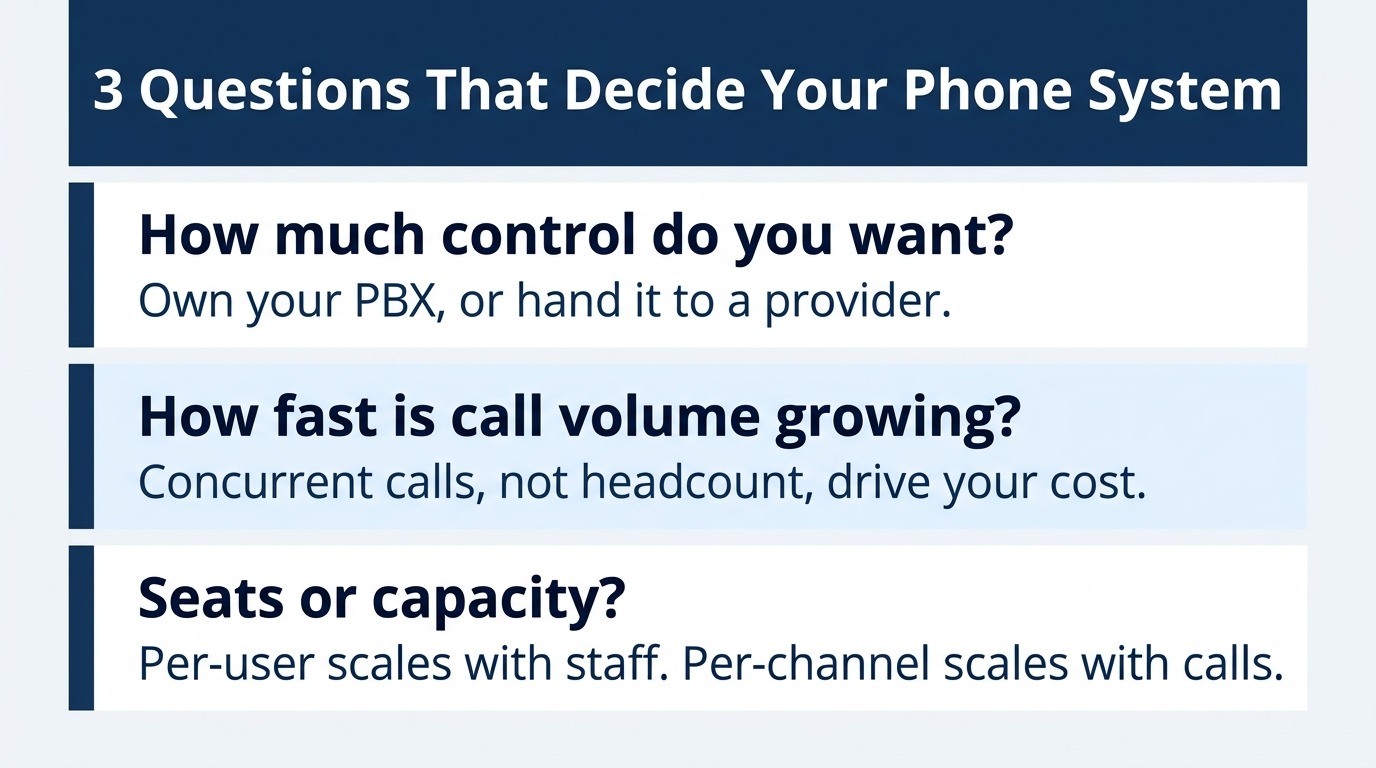
Choosing the best business phone system comes down to three questions: how much control you want over your own equipment, how fast your call volume is growing, and whether you are buying seats or buying capacity.
- Traditional on-premises systems still function, but the copper networks underneath them are being retired on published federal timelines.
- Hosted VoIP and UCaaS bundle everything into a per-user subscription, which makes them fast to launch and progressively more expensive as headcount climbs.
- SIP trunking keeps your existing IP-PBX and replaces only the lines, and companies migrating off legacy PRI circuits report savings between 25% and 65%.
- The right answer usually depends less on features and more on whether you already own phone system hardware worth preserving.
If your business already runs a SIP-capable phone system, price SIP trunking before you price anything else because it’s the only option that lets you modernize your lines without replacing your equipment.
Growing companies rarely outgrow a phone system all at once. The pressure builds gradually. A new hire has nowhere to plug in, a technician visit costs real money to move an extension, or a remote employee can’t be reached at the main number. By the time the problem becomes urgent, the decision gets made under deadline pressure, which is exactly when businesses overbuy. Choosing the best business phone system deserves a deliberate evaluation instead because the architecture you pick sets your cost curve for years.
The market has consolidated around four approaches, and they’re not interchangeable. Modern SIP trunking service sits at one end, traditional on-premises telephony at the other, with hosted VoIP and UCaaS in between. Cost is the strongest pull toward internet-based options, and savings of 25% to 65% over legacy PRI lines remain the most cited reason businesses move. Here’s what each option delivers and which fits your stage of growth.
What Makes a Business Phone System the Best Choice for a Growing Company?
The phrase “best business phone system” gets used as though a single winner exists, which is why so much buying advice falls flat. A five-person consultancy and a 40-person contractor with a dispatch desk share almost no requirements, and a system that serves one will frustrate the other. What matters is matching the architecture to how your business actually generates calls.
Cost Structure Matters More Than Headline Price
Every option advertises a monthly number, and those figures are rarely comparable. Per-user pricing scales with headcount, so a company that doubles its staff doubles its phone bill even if call volume stays flat. Per-channel SIP pricing scales with concurrent calls instead, meaning a business where only a third of employees are ever on the phone pays for that third. Understanding which model fits you is the most impactful decision in this process.
Scalability Without Hardware Changes
Growth is uneven. Seasonal spikes, a new location, or a hiring push can change your capacity needs faster than any procurement cycle can accommodate. The best business phone system for a growing company lets you add capacity through a web portal in minutes rather than a purchase order and a technician appointment. Scaling back down matters just as much, since that flexibility protects margin in ways annual contracts do not.
Control Over Your Existing Equipment
If you’ve already invested in an IP-PBX, desk phones, and call flows your team knows, replacing all of it carries a cost that never appears on a comparison chart. The hardware, configuration time, retraining, and productivity dip while people adjust. Options that preserve that investment deserve serious consideration before you write off equipment you already own.
What Are Your Four Options for Business Phone Systems?
Business phone systems fall into four architectural categories, and the differences between them are structural rather than cosmetic. Each one draws a different line between what you own and what your provider manages, which is the distinction that drives both cost and flexibility.
Traditional On-Premises Systems
A traditional setup pairs an on-site PBX with physical lines from a carrier, typically analog lines or a PRI circuit delivering 23 voice channels. You own the hardware outright, which means predictable behavior and no dependence on internet quality. The tradeoff is rigidity. Adding capacity means ordering another circuit, and changes require a technician. The larger issue is that the copper underneath is being retired, and the FCC requires carriers to give non-residential customers at least 180 days of notice before retiring copper facilities. Six months is not much runway for a migration.
Hosted VoIP
Hosted VoIP moves the phone system itself into your provider’s data center. You get desk phones or softphones, your provider handles routing and features, and you pay per user per month. Setup is genuinely fast, and for a business with no existing equipment, it removes an entire category of decisions. Business VoIP in this form suits companies that want someone else to own the complexity, though it means accepting your provider’s feature set and update schedule. Buyers often conflate the terminology here, and how SIP and VoIP differ is worth clarifying before you compare quotes.
UCaaS Platforms
UCaaS extends hosted VoIP by folding video meetings, team chat, presence, and sometimes contact center tools into one subscription. For distributed teams that live inside a single collaboration platform, the consolidation is real and valuable. The consideration is that you pay for the full bundle on every seat, including seats belonging to people who only need to answer a phone, which is why UCaaS pricing sits at the higher end of the market.
SIP Trunking
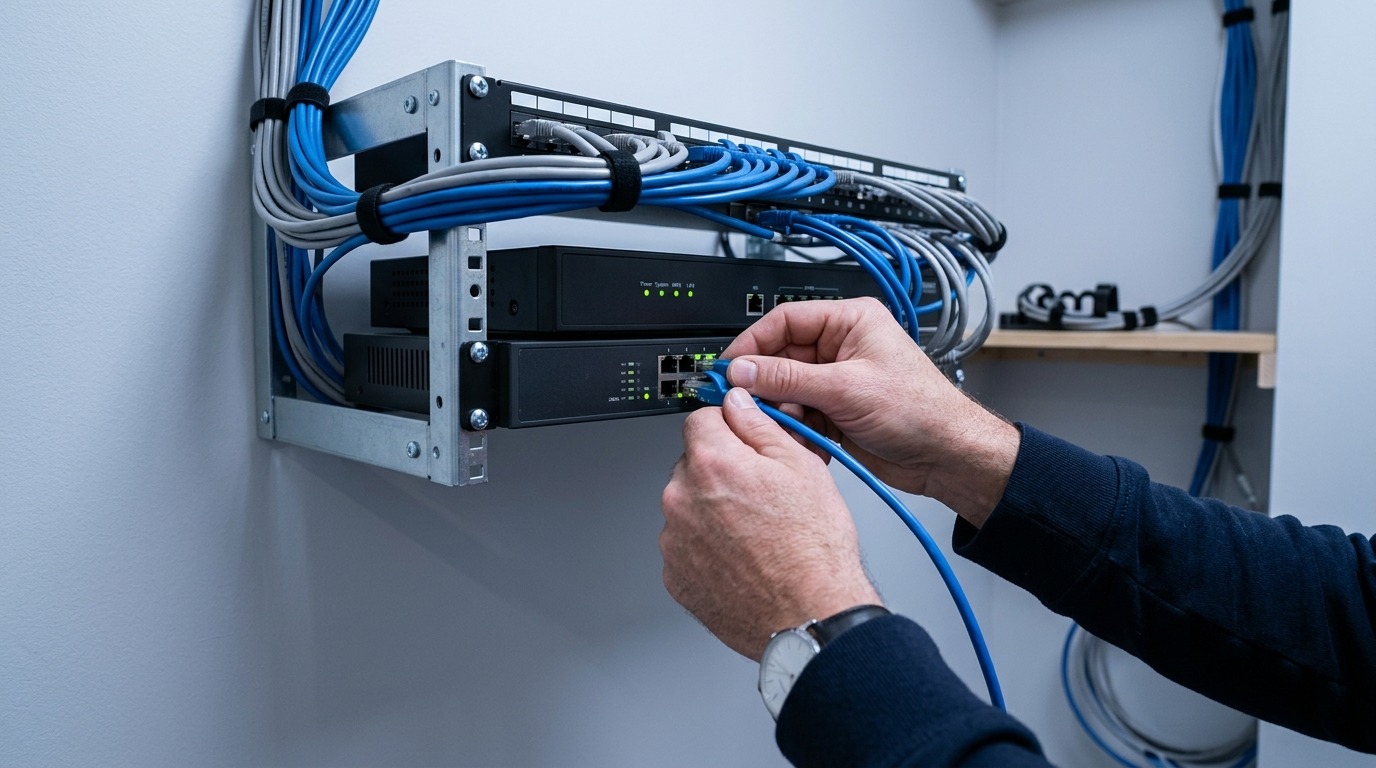
SIP trunking replaces only your phone lines, leaving your PBX in place. Your existing IP-PBX connects to the provider over your internet connection, and you buy channels rather than seats. This option preserves prior investment, which is why PBX and SIP trunking basics are worth understanding before you compare prices. It requires a SIP-capable system or an adapter for legacy equipment, plus someone comfortable with basic configuration, though most providers supply guides and setup help.
How Do These Business Phone Systems Compare Side by Side?
The table below summarizes the practical differences. Note that no column is universally superior, and the right choice depends on which row matters most to your operation.
| Factor | Traditional PBX + PRI | Hosted VoIP | UCaaS | SIP Trunking |
| Pricing model | Per circuit | Per user | Per user | Per channel |
| You own | PBX and phones | Phones only | Phones only | PBX and phones |
| Provider manages | Lines only | Everything | Everything | Lines only |
| Time to add capacity | Weeks | Minutes | Minutes | Minutes |
| Upfront cost | High | Low | Low | Low |
| Feature control | Full | Provider-defined | Provider-defined | Full |
| Technical skill needed | Moderate | Minimal | Minimal | Moderate |
| Long-term cost curve | Flat but high | Rises with headcount | Rises with headcount | Rises with call volume |
The cost curve row is where most businesses get surprised. A company with 30 employees, where 8 are on the phone at peak, pays for 30 seats under a per-user model and 8 channels under a per-channel model. As the gap between total staff and concurrent callers widens, so does the gap between those invoices. That’s the core of the small business VoIP versus SIP trunking question, and it deserves modeling with your real numbers.
Which Buying Criteria Should Guide Your Decision?
Once you’ve narrowed the architecture, provider evaluation follows a consistent set of criteria. Work through them in order because the early ones eliminate options fastest.
- Concurrent call volume, not headcount. Pull three months of call records and find your peak simultaneous calls. This number determines your capacity requirement, and it often reveals that you’re shopping for more than you need.
- Existing equipment compatibility. Confirm whether your current PBX supports SIP. Most systems built in the last decade do, and legacy analog systems can usually connect through an adapter, which changes the economics of your decision.
- Contract terms and exit costs. Month-to-month service with no termination penalty preserves your ability to correct a bad decision. Multi-year agreements convert a reversible choice into a permanent one.
- Pricing transparency. Ask specifically what is included and what bills separately. Long distance, additional numbers, e911 registration, and porting fees are common line items that don’t appear in advertised rates.
- Bandwidth requirements. Each concurrent call using the standard G.711 codec consumes roughly 85kbps in each direction. Multiply by your peak concurrent calls, then confirm your connection has headroom for everything else your business does online.
- Network reliability and failover. Look for Tier-1 upstream carriers, geographically separated points of presence, and inbound failover to a backup destination if your primary connection drops.
- Self-service administration. If adding a number or changing routing requires a support ticket, you’ll feel that friction weekly. A control panel that non-technical staff can operate is worth more than most feature checkboxes.
How Does Growth Stage Change the Best Business Phone System for You?
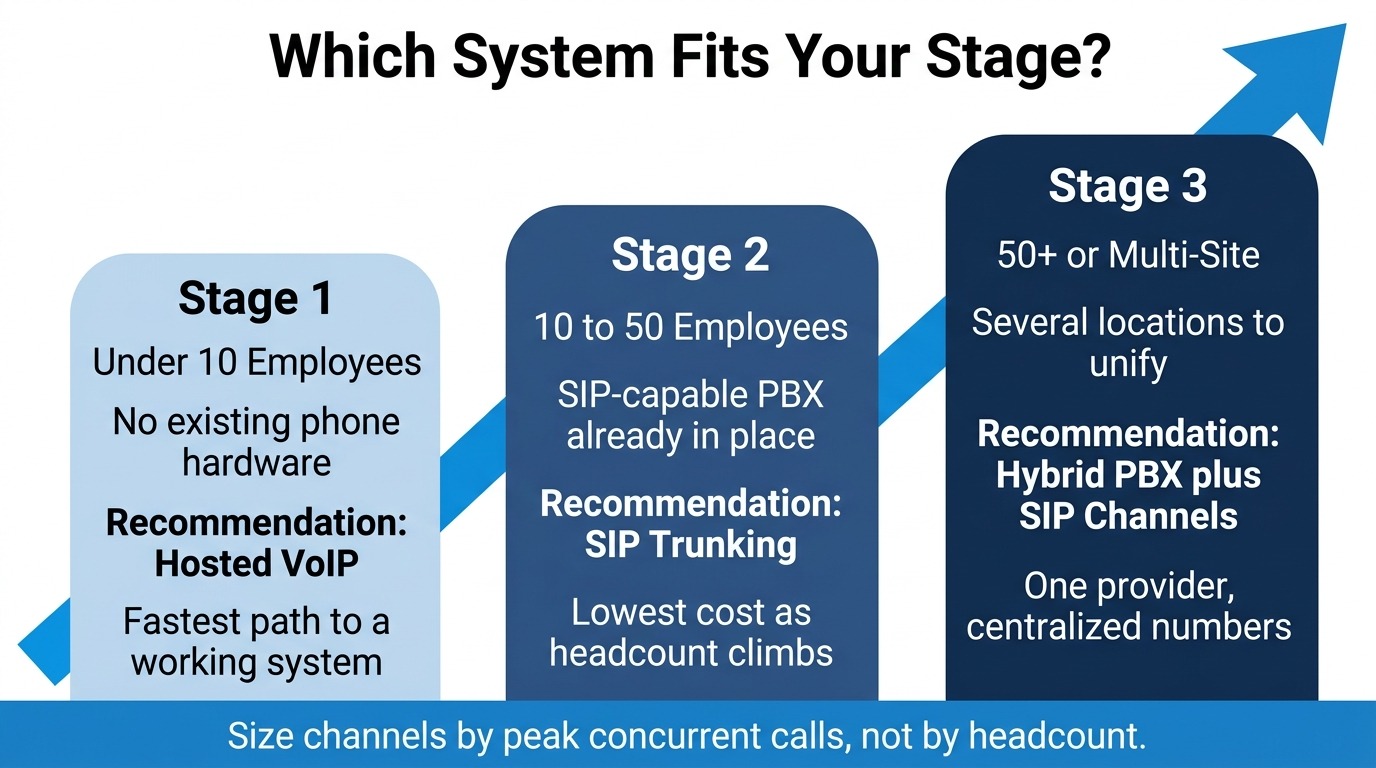
Company size shifts the calculus in predictable ways. The following breakdown reflects where each architecture tends to make the most sense, though your call patterns can override the general pattern.
Under 10 Employees With No Existing Hardware
At this size, simplicity usually wins. Hosted VoIP gets you operational quickly with no infrastructure decisions, and the per-user premium is small in absolute dollars across six or seven users. The exception is a business with high call volume relative to headcount, such as a dispatch or appointment-setting operation, where per-channel pricing pays off immediately.
10 to 50 Employees With a SIP-Capable PBX
This setup is where SIP trunking becomes compelling for most companies. You have equipment worth preserving, enough users that per-seat pricing has started to sting, and usually someone technical enough to handle configuration. Those economics explain why SMB phone systems have shifted so heavily toward SIP. Our complete guide to SIP trunking for small business owners covers the migration path in detail.
Growing Past 50 or Adding Locations
Multi-site operations benefit most from consolidating voice onto one provider with centralized number management. SMB phone systems at this scale usually end up hybrid: a primary PBX handling call control with SIP channels sized to peak demand, plus softphone licenses for fully remote staff. The shift toward internet-based voice is durable, with the VoIP market projected to reach $388.97 billion by 2034, so decisions made now have a long runway.
Frequently Asked Questions
Is SIP trunking the same thing as business VoIP?
Not exactly, though they’re closely related. VoIP describes the broad category of transmitting voice over internet connections, while SIP is the signaling protocol that sets up and manages those calls. SIP trunking is the specific business implementation that connects a phone system to the public network. Providers often use the terms interchangeably, so confirm what’s actually being quoted.
Can I keep my current phone numbers when I switch?
Yes. Number porting transfers your existing numbers to a new provider and typically takes one to two weeks, depending on your current carrier. You can test the new system on temporary numbers during the porting window, so your main lines keep working throughout the transition.
What happens to my business communications if the internet goes down?
Reputable providers offer failover routing that sends inbound calls to a backup destination during an outage, commonly a mobile number or a second location. Configuring it ahead of time takes a few minutes. Many businesses also add a secondary internet connection, which becomes worth the cost once phone service depends on connectivity.
How many channels does my business actually need?
Count your peak concurrent calls rather than your employees. A useful starting point for a typical office is one channel for every three to four phone-using staff, adjusted against your actual call records. Most businesses find the figure is far lower than their headcount.
Do I need to replace my desk phones?
Usually not. Any SIP-capable IP phone works with a SIP trunking service, and analog phones connect through an analog telephone adapter. Confirming compatibility first prevents an unnecessary hardware purchase.
Put Your Phone System Decision on Solid Ground
The best business phone system for your company matches your call patterns, respects the equipment you already own, and doesn’t penalize you for growing. For most small businesses with a working IP-PBX, that means replacing the lines rather than the system and buying capacity rather than seats. Model your peak concurrent calls against both pricing structures before committing because that comparison usually makes the answer obvious.
SIP.US delivers unlimited channels at predictable monthly pricing, no contracts, instant provisioning, and a self-service control panel your team can actually operate. Start your free trial today and see how quickly your business communications can modernize.

Mitch leads the Sales team at BCM One, overseeing revenue growth through cloud voice services across brands like SIPTRUNK, SIP.US, and Flowroute. With a focus on partner enablement and customer success, he helps businesses identify the right communication solutions within BCM One’s extensive portfolio. Mitch brings years of experience in channel sales and cloud-based telecom to every conversation.
Free SIP Trunk in 60 Seconds
Related Posts

What Is a DID Number? Direct Inward Dialing Explained
Unlock the potential of your communication system with our Beginner’s Guide to DID Numbers and SIP Trunks, offering cost-effective, scalable solutions for modern businesses and individuals.

What Is SIP? A Complete Guide to Session Initiation Protocol
Discover everything about SIP and how it revolutionizes communication. Learn what is SIP, its benefits, and how to implement it in your business for better connectivity.

What Is Internet Protocol? IP Definition and How It Works
Internet protocol is the addressing and routing system that gets every business call, email, and…